- FANUC R-30iB – How To Setup Home Position
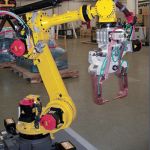 Setting Home Position. Press MENU key. Scroll to SETUP option. Press ENTER key. Press F1 key for TYPE. Press 0 key for NEXT. Press 5 key for REF POSITION. Press F3 key for DETAIL. Press SHIFT & F5 to RECORD. Completed. Legend: Physical Key, Digital Option. As always, let us know how this worked outContinue reading “FANUC R-30iB – How To Setup Home Position”
 - FANUC R-30iA – How To Setup Home PositionSetting Home Position. Press MENU key. Scroll to SETUP option. Press ENTER key. Press F1 key for TYPE. Press 0 key for NEXT. Press 5 key for REF POSITION. Press F3 key for DETAIL. Press SHIFT & F5 to RECORD. Completed. Legend: Physical Key, Digital Option. As always, let us know how this worked outContinue reading “FANUC R-30iA – How To Setup Home Position”
- FANUC R-J3iC – How To Setup Home PositionSetting Home Position. Press MENU key. Scroll to SETUP option. Press ENTER key. Press F1 key for TYPE. Press 0 key for NEXT. Press 5 key for REF POSITION. Press F3 key for DETAIL. Press SHIFT & F5 to RECORD. Completed. Legend: Physical Key, Digital Option. As always, let us know how this worked outContinue reading “FANUC R-J3iC – How To Setup Home Position”
- FANUC R-J3iB – How To Setup Home PositionSetting Home Position. Press MENU key. Scroll to SETUP option. Press ENTER key. Press F1 key for TYPE. Press 0 key for NEXT. Press 5 key for REF POSITION. Press F3 key for DETAIL. Press SHIFT & F5 to RECORD. Completed. Legend: Physical Key, Digital Option. As always, let us know how this worked outContinue reading “FANUC R-J3iB – How To Setup Home Position”
- FANUC R-J3 – How To Setup Home PositionSetting Home Position. Press MENU key. Scroll to SETUP option. Press ENTER key. Press F1 key for TYPE. Press 0 key for NEXT. Press 5 key for REF POSITION. Press F3 key for DETAIL. Press SHIFT & F5 to RECORD. Completed. Legend: Physical Key, Digital Option. As always, let us know how this worked outContinue reading “FANUC R-J3 – How To Setup Home Position”
- FANUC R-J2 – How To Setup Home PositionSetting Home Position. Press MENU key. Scroll to SETUP option. Press ENTER key. Press F1 key for TYPE. Press 0 key for NEXT. Press 5 key for REF POSITION. Press F3 key for DETAIL. Press SHIFT & F5 to RECORD. Completed. Legend: Physical Key, Digital Option. As always, let us know how this worked outContinue reading “FANUC R-J2 – How To Setup Home Position”
- FANUC R-J2 – How To Remaster A Single AxisRemastering a single axis. Note: When remastering axis 2 or 3, both axis 2 and 3 must be remastered due axis 2/3 coupling. Press the COORD key. Cycle through to the JOINT coordinates. Press ENTER key. Enable teach pendant DEADMAN switch. Turn teach pendant switch to ON position. Move robot axis approximately 15 degrees pastContinue reading “FANUC R-J2 – How To Remaster A Single Axis”
- FANUC R-J3 – How To Remaster A Single AxisRemastering a single axis. Note: When remastering axis 2 or 3, both axis 2 and 3 must be remastered due axis 2/3 coupling. Press the COORD key. Cycle through to the JOINT coordinates. Press ENTER key. Enable teach pendant DEADMAN switch. Turn teach pendant switch to ON position. Move robot axis approximately 15 degrees pastContinue reading “FANUC R-J3 – How To Remaster A Single Axis”
- FANUC R-J3iB – How To Remaster A Single AxisRemastering a single axis. Note: When remastering axis 2 or 3, both axis 2 and 3 must be remastered due axis 2/3 coupling. Press the COORD key. Cycle through to the JOINT coordinates. Press ENTER key. Enable teach pendant DEADMAN switch. Turn teach pendant switch to ON position. Move robot axis approximately 15 degrees pastContinue reading “FANUC R-J3iB – How To Remaster A Single Axis”
- FANUC R-J3iC – How To Remaster A Single AxisRemastering a single axis. Note: When remastering axis 2 or 3, both axis 2 and 3 must be remastered due axis 2/3 coupling. Press the COORD key. Cycle through to the JOINT coordinates. Press ENTER key. Enable teach pendant DEADMAN switch. Turn teach pendant switch to ON position. Move robot axis approximately 15 degrees pastContinue reading “FANUC R-J3iC – How To Remaster A Single Axis”
- FANUC R-30iA – How To Remaster A Single AxisRemastering a single axis. Note: When remastering axis 2 or 3, both axis 2 and 3 must be remastered due axis 2/3 coupling. Press the COORD key. Cycle through to the JOINT coordinates. Press ENTER key. Enable teach pendant DEADMAN switch. Turn teach pendant switch to ON position. Move robot axis approximately 15 degrees pastContinue reading “FANUC R-30iA – How To Remaster A Single Axis”
- FANUC R-30iB – How To Remaster A Single AxisRemastering a single axis. Note: When remastering axis 2 or 3, both axis 2 and 3 must be remastered due axis 2/3 coupling. Press the COORD key. Cycle through to the JOINT coordinates. Press ENTER key. Enable teach pendant DEADMAN switch. Turn teach pendant switch to ON position. Move robot axis approximately 15 degrees pastContinue reading “FANUC R-30iB – How To Remaster A Single Axis”
- Benshaw-(RB2, RC2, RX2E) How To Set Passcode
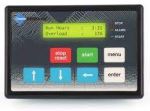 Purpose: This will unlock advanced parameters. The following steps must be performed to set a passcode using the KPMX3CBL2M LCD Display: At the default meter display, press the MENU key to enter the Menu mode. Press the UP or DOWN keys to get to the FUN parameters. Press the ENTER key Press the UP orContinue reading “Benshaw-(RB2, RC2, RX2E) How To Set Passcode”

Electrical Control/Automation Installation & Troubleshooting. Programming & Parameter Setting.
 Industrial Electrician